
New This Month
Discover the latest Zed editor tips and techniques from March 2026
Jump to Last Pane with Keybinding
Add a keyboard shortcut to focus the rightmost pane instantly
Insert Newlines in Search Bars with Ctrl-Enter
Add line breaks in search queries using keyboard shortcut on macOS
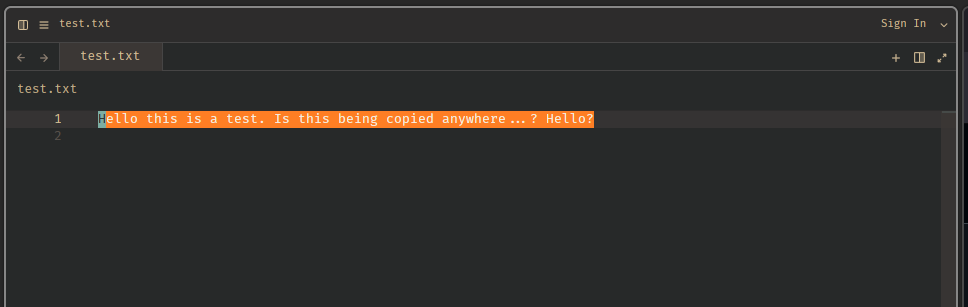
Customize Vim Yank Highlight Color
Set a custom background color for vim yank highlighting in your theme
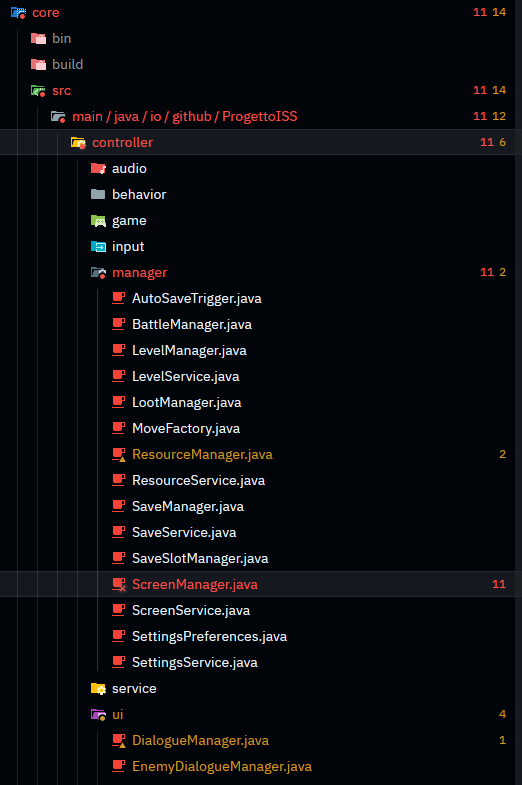
See Error and Warning Counts in Project Panel
Display diagnostic badges next to files showing error and warning counts
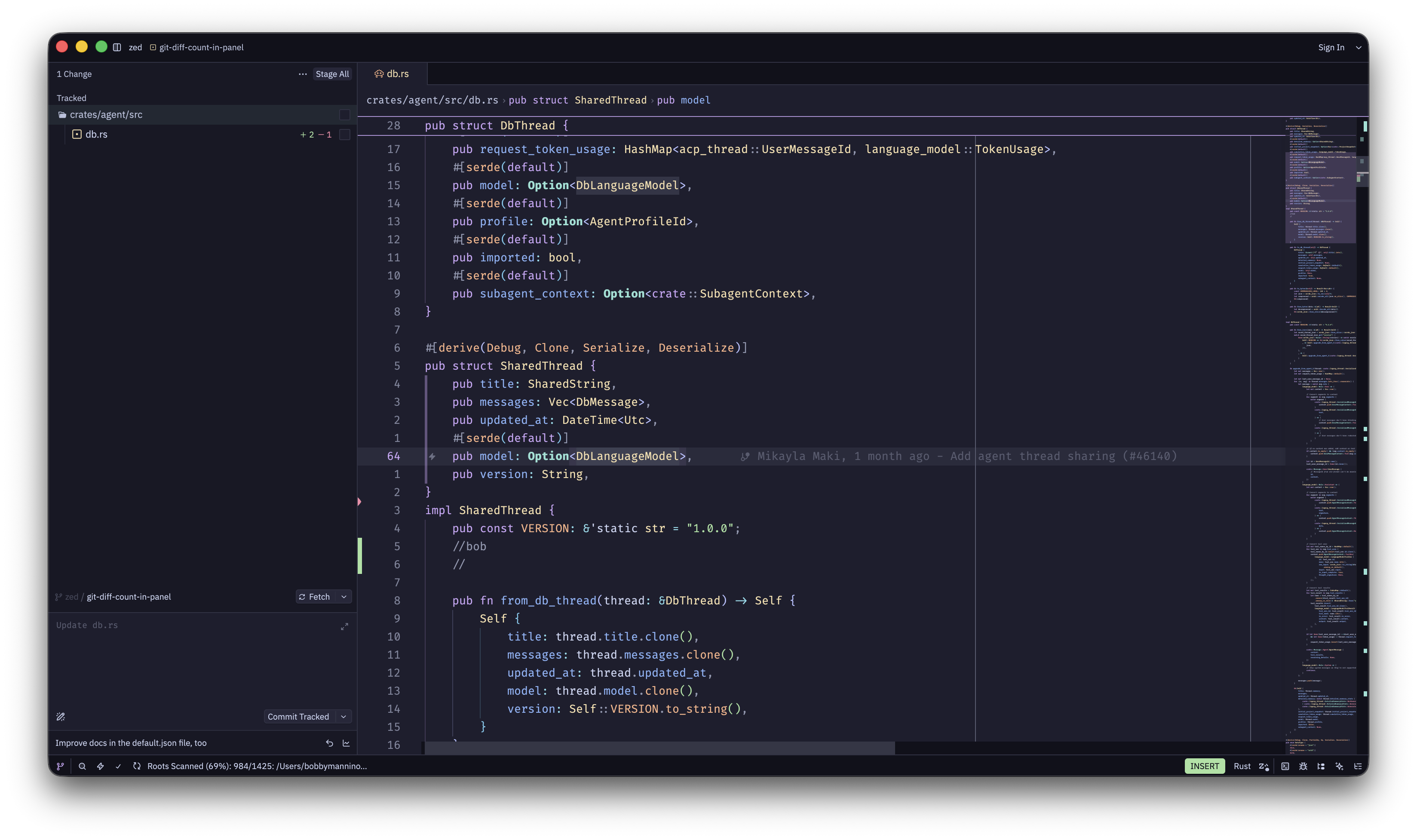
See Addition and Deletion Counts in Git Panel
View file-level diff statistics showing lines added and removed
Jump to Files from Agent Diffs
Open files directly from agent-shown diffs with Option-Enter
Remove and Manage Built-in Agents
All built-in agents are now removable via the ACP Registry
Parallel Subagents for Complex Tasks
Agent can now spawn parallel subagents for better context management and concurrent work
Clear REPL Outputs with Commands
Remove cell outputs to declutter notebooks or start fresh
Use REPL with WSL and SSH Remote Kernels
Run Jupyter kernels on remote machines or WSL environments
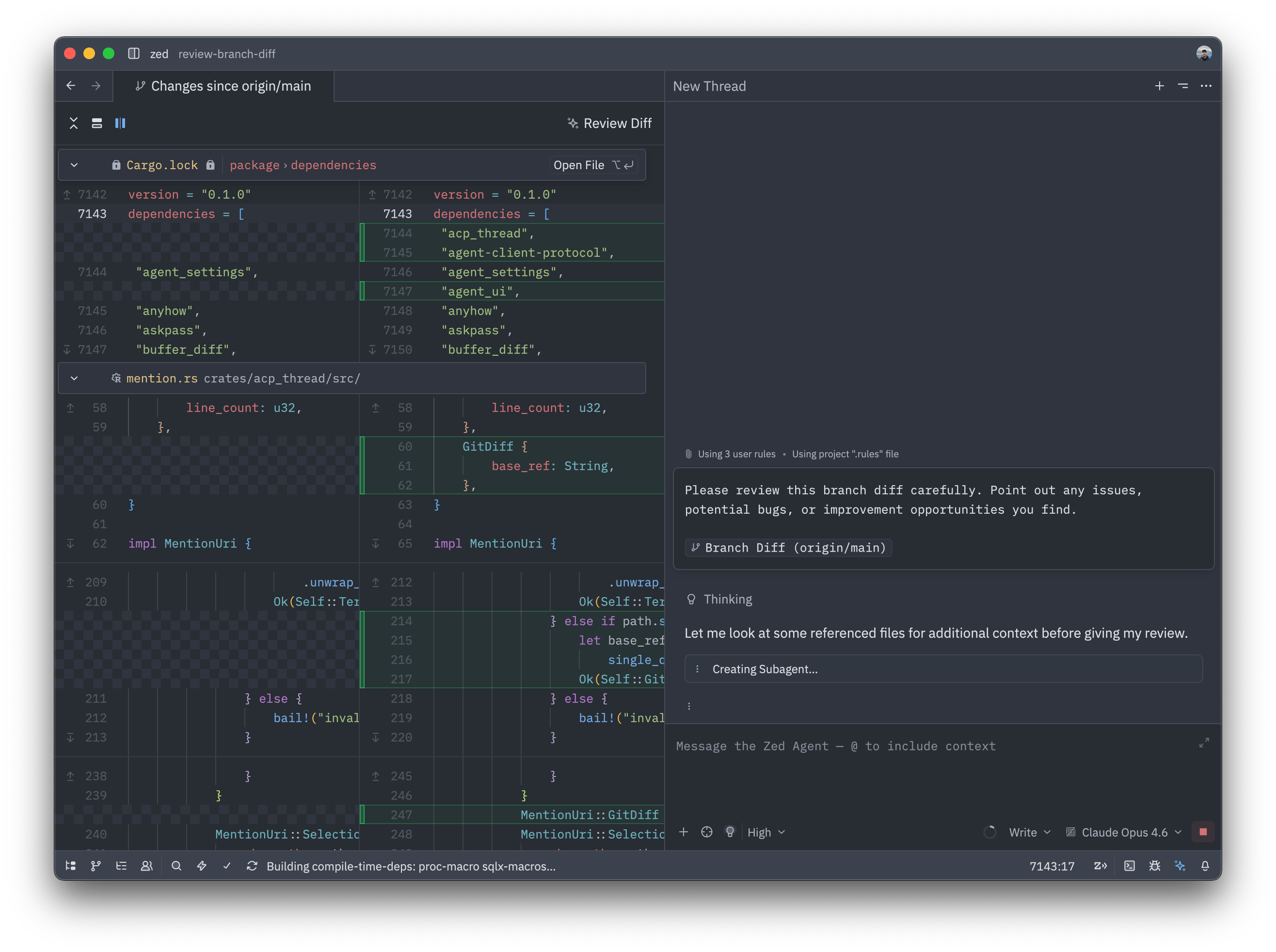
Review Branch Diffs with Agent
Send entire git diffs to your AI agent for automated code review
Smart Multi-Cursor Paste Distribution
Paste multiple lines to multiple cursors with automatic line-to-cursor mapping
Undo "Reject All" in Agent Panel
Recover agent edits if you accidentally reject all changes
Use Vercel AI Gateway as LLM Provider
Connect to multiple AI models through Vercel's unified AI Gateway