
See Addition and Deletion Counts in Git Panel
View file-level diff statistics showing lines added and removed
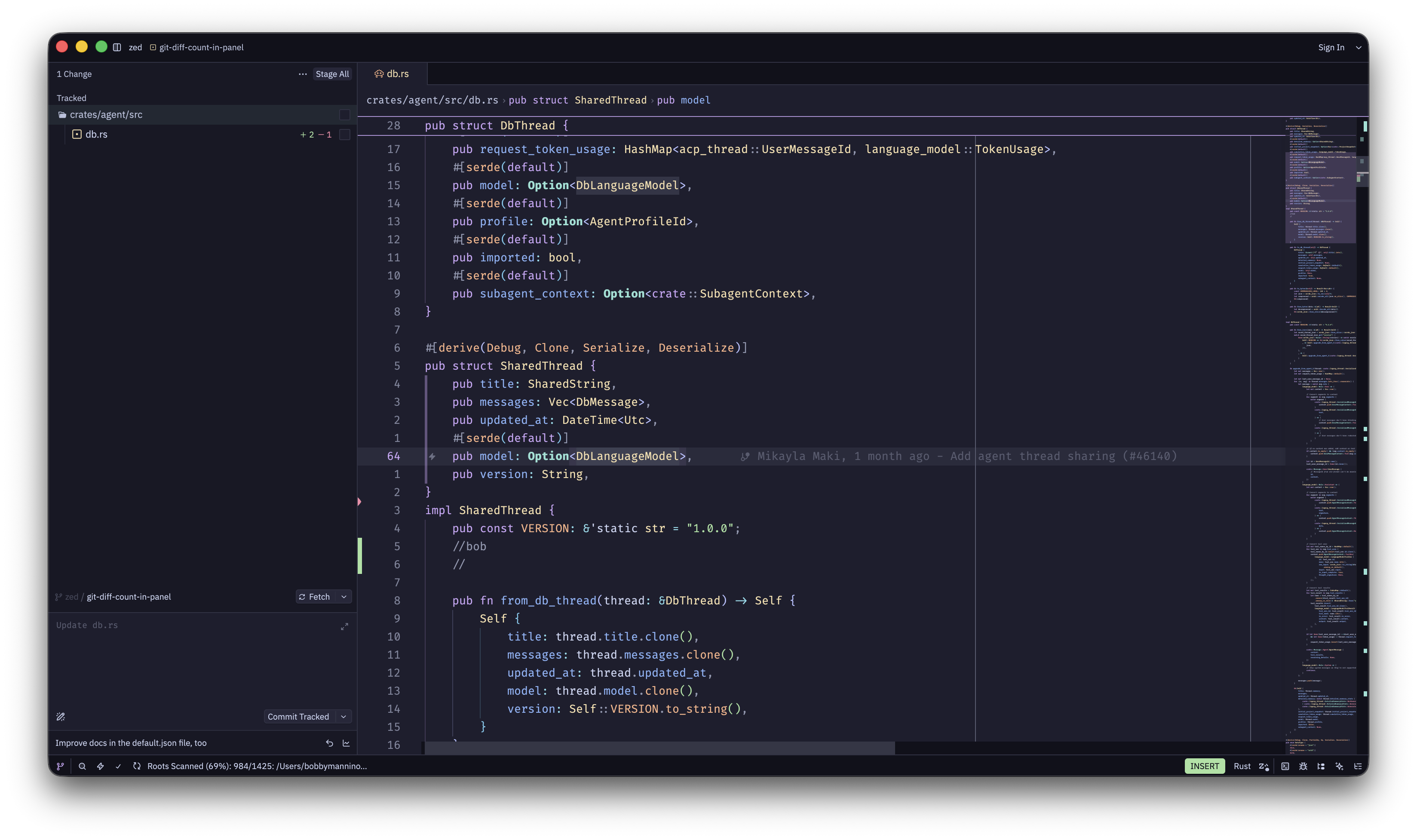
The git panel now displays diff statistics for each modified file, showing you exactly how many lines were added and removed without opening the file.
How to Enable
- Open Settings (
Cmd-,on macOS) - Search for git_panel
- Find the diff_stats option and enable it
- Addition and deletion counts appear next to each file in the git panel
The counts are shown as colored numbers: green for additions, red for deletions.
Why This Matters
Quick assessment: Gauge the scope of changes at a glance.
Review planning: Prioritize which files to review based on change size.
Spot outliers: Identify unexpectedly large changes that might need extra attention.
Context awareness: Understand the impact of commits before viewing detailed diffs.
Configuration
Add to your settings.json:
{
  "git_panel": {
    "diff_stats": true
  }
}
The setting is disabled by default to keep the git panel minimal, but enabling it provides valuable context for code review and commit planning.