
See Error and Warning Counts in Project Panel
Display diagnostic badges next to files showing error and warning counts
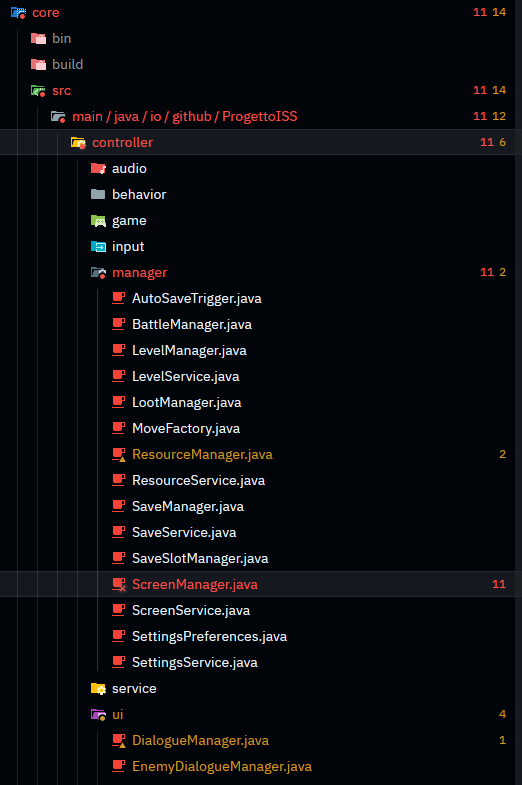
The project panel can now show colored badges displaying the number of errors and warnings for each file, making it easy to spot which files need attention at a glance.
How to Enable
- Open Settings (
Cmd-,on macOS) - Search for diagnostic_badges
- Enable the option
- Error counts appear in red, warnings in yellow next to file names
Diagnostic counts automatically bubble up to parent directories, showing the total count for all files within.
Why This Matters
Visual scanning: Quickly identify problematic files without opening them.
Prioritize work: See which files have the most issues at a glance.
Track progress: Watch error counts decrease as you fix issues.
Directory-level view: Parent folders show aggregate counts for all contained files.
When enabled, diagnostic severity takes priority over git status for file text color, while git status remains visible through file icon decorations.
Configuration
The setting is disabled by default. Add to your settings.json:
{
  "diagnostic_badges": true
}