
Review Branch Diffs with Agent
Send entire git diffs to your AI agent for automated code review
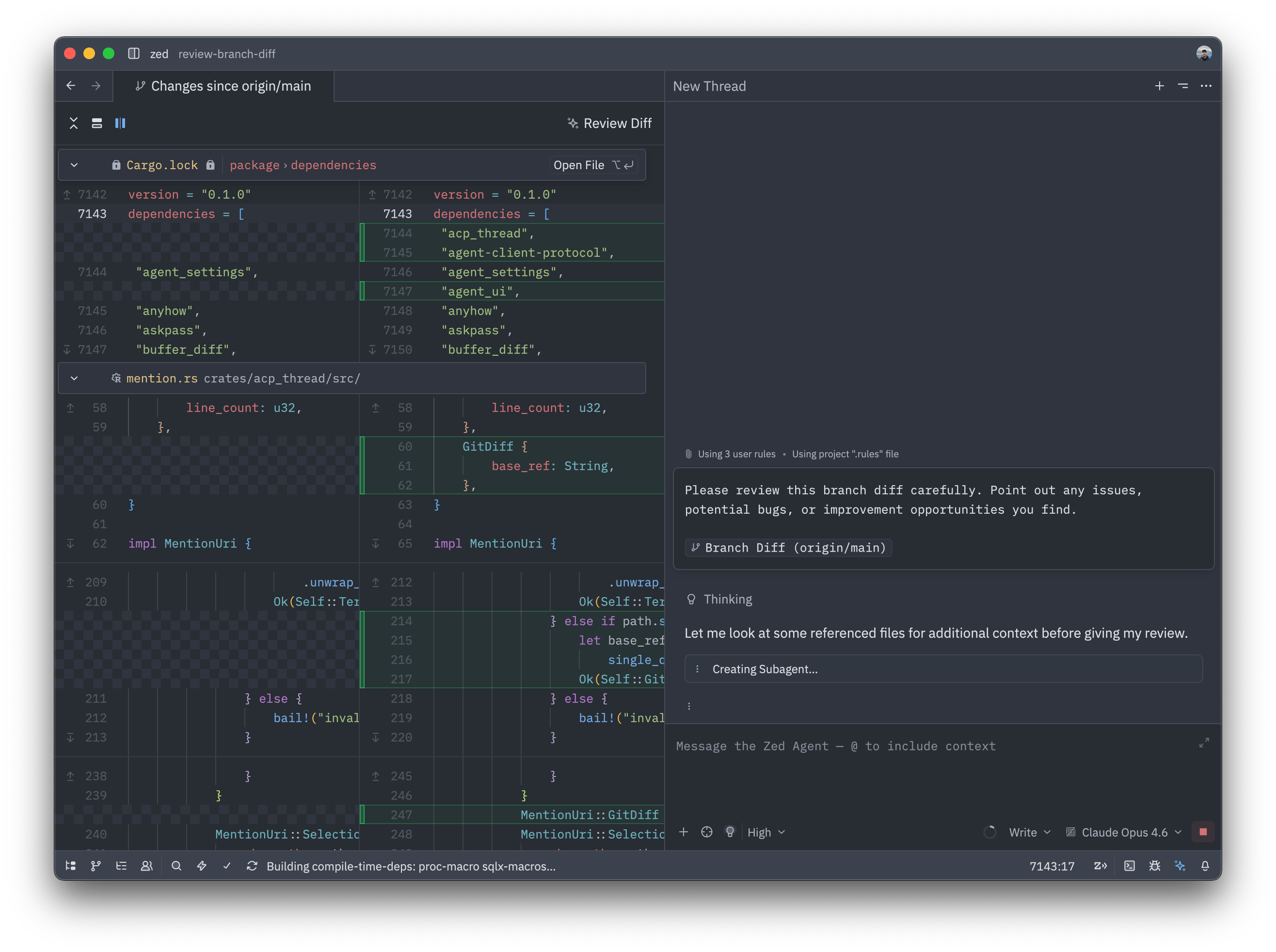
When reviewing your branch changes before committing or creating a PR, you can now send the entire diff to your AI agent for an automated code review with a single click.
How to Use
- Open the command palette and run
git: branch diff - Review your changes in the split diff view
- Click the Review Branch button at the top
- The entire diff is automatically sent to your last-used agent
- Review the agent’s feedback in the Agent Panel
The agent receives a pre-written prompt asking it to review your changes for potential issues, improvements, and best practices.
Why This Matters
Quick feedback: Get instant code review suggestions without waiting for teammates.
Catch issues early: Identify potential bugs or improvements before committing.
Learn best practices: The agent explains why certain changes might be problematic.
Seamless workflow: No need to copy/paste diffs or switch contexts.
This feature is perfect for solo developers, quick sanity checks, or getting a second opinion before requesting human review.