
Customize Vim Yank Highlight Color
Set a custom background color for vim yank highlighting in your theme
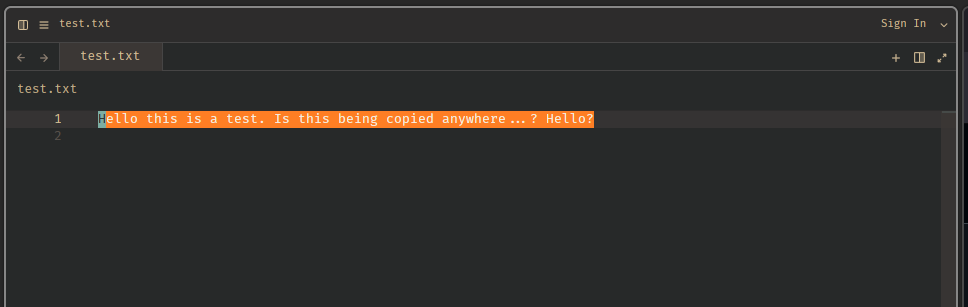
Vim mode now supports customizing the background color that appears when you yank (copy) text, allowing you to make it more visible or match your theme preferences.
How to Configure
Add this to your settings.json:
{
  "theme_overrides": {
    "Your Theme Name": {
      "vim.yank.background": "#FE7F1F"
    }
  }
}
Replace "Your Theme Name" with your active theme (e.g., “Gruvbox Material”, “One Dark”, etc.) and choose your preferred color.
Why This Matters
Better visibility: Make yank highlighting stand out more than the default document highlight color.
Theme consistency: Match the yank highlight to your color scheme.
Accessibility: Use higher contrast colors if needed for better visibility.
Personal preference: Choose colors that work best for your eyes and workflow.
Previously, vim yank highlighting was hardcoded to use editor.document_highlight.read_background, making it impossible to distinguish from other highlights. Now you have full control over this visual feedback.
Example Colors
Try these popular choices:
- Orange:
#FE7F1F(high visibility) - Yellow:
#FFEB3B(classic highlight) - Blue:
#2196F3(cool tone) - Green:
#4CAF50(subtle)