
beginner
Jump to Files from Agent Diffs
Open files directly from agent-shown diffs with Option-Enter
#agent
#navigation
#diff
Explore ai & agents tips and tricks to enhance your Zed editor experience
17 tips found
Open files directly from agent-shown diffs with Option-Enter
All built-in agents are now removable via the ACP Registry
Agent can now spawn parallel subagents for better context management and concurrent work
Recover agent edits if you accidentally reject all changes
Connect to multiple AI models through Vercel's unified AI Gateway
Your AI conversations now persist across Zed sessions automatically
Adjust how deeply your AI agent reasons through complex problems
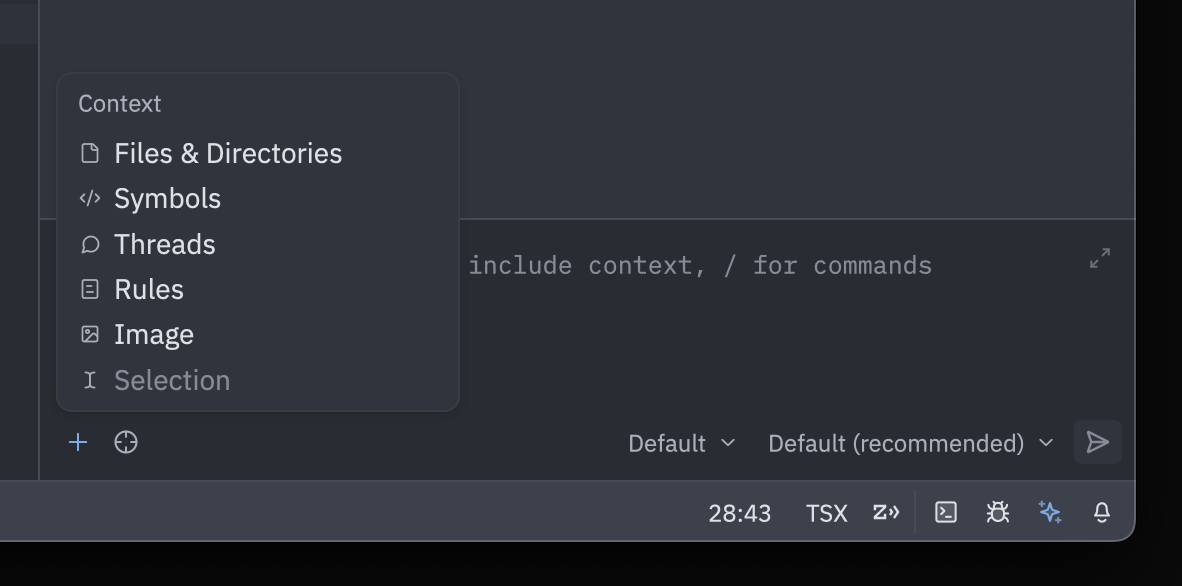
Add context to agent with mouse-friendly dropdown menu
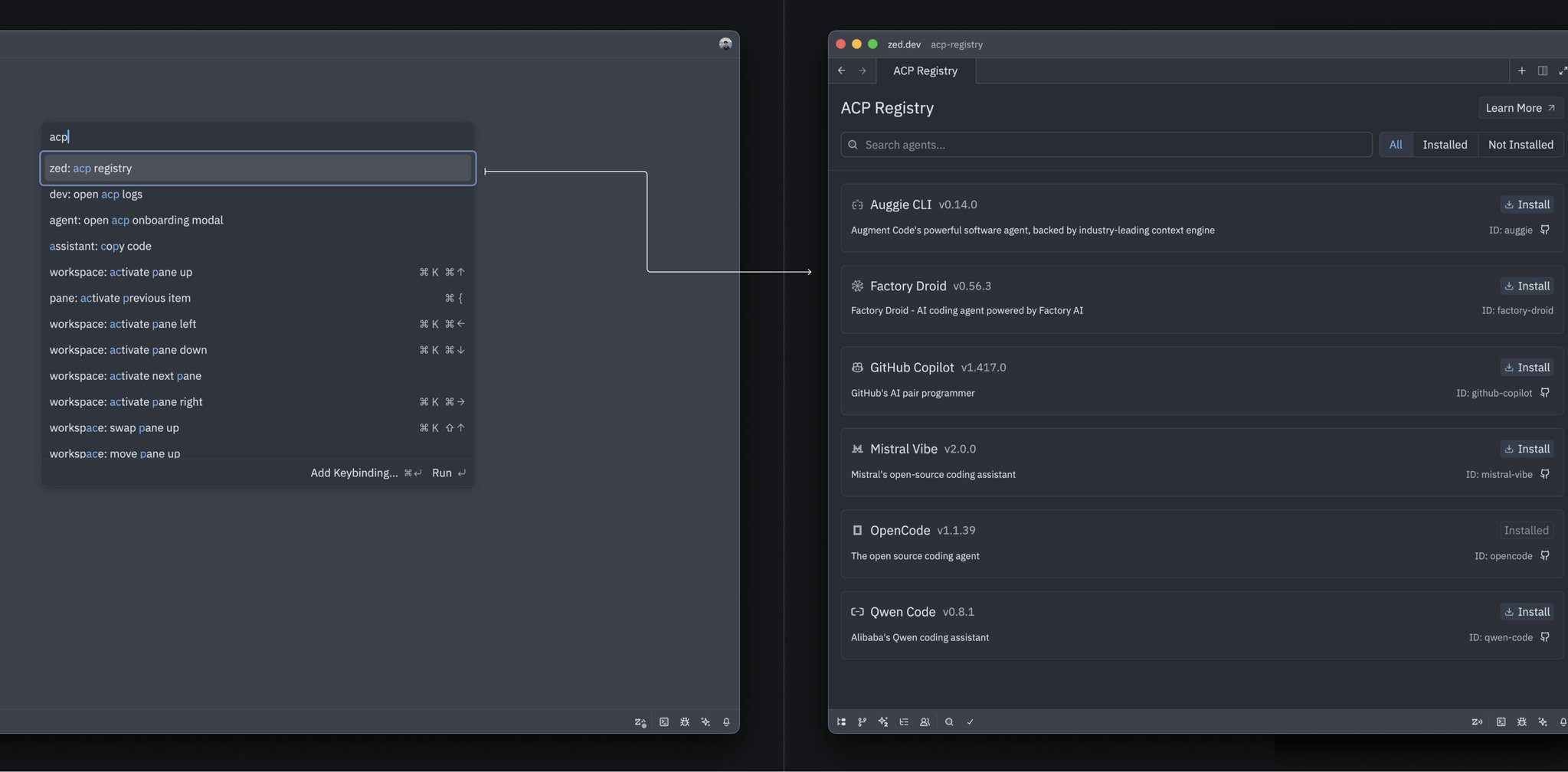
Discover and install specialized agents directly from Zed's Agent Registry
Modify your queued prompts on the fly with Cmd+E
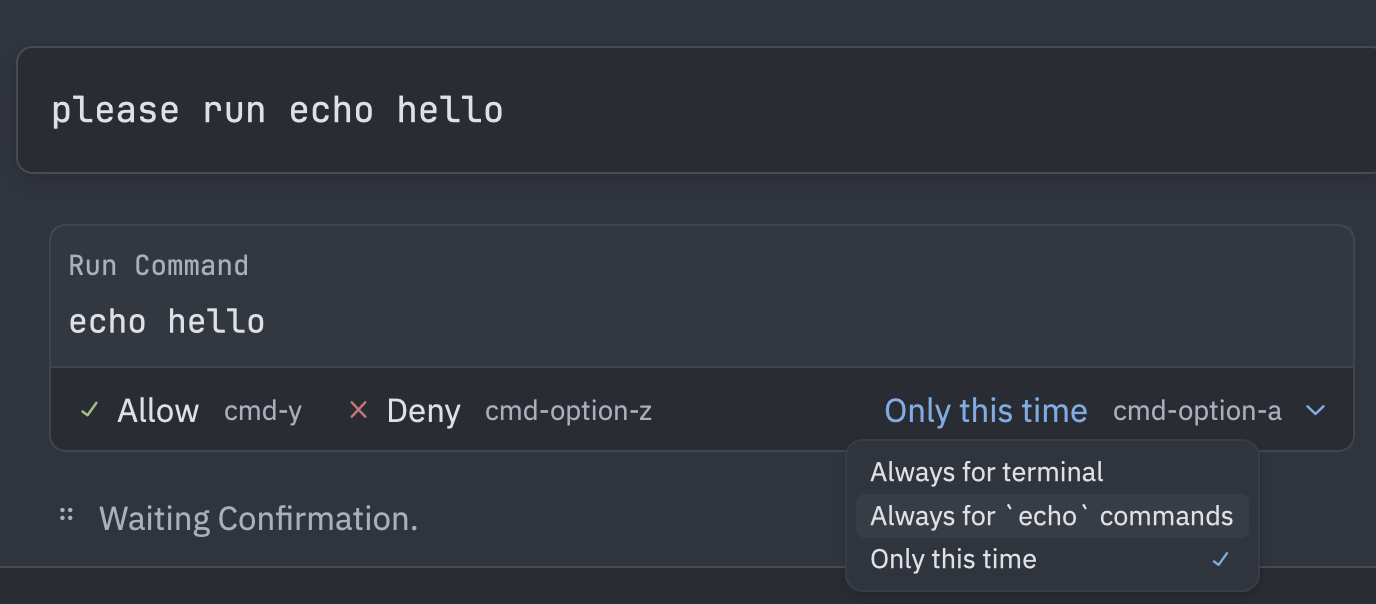
Control what the AI agent can do with per-tool permission rules
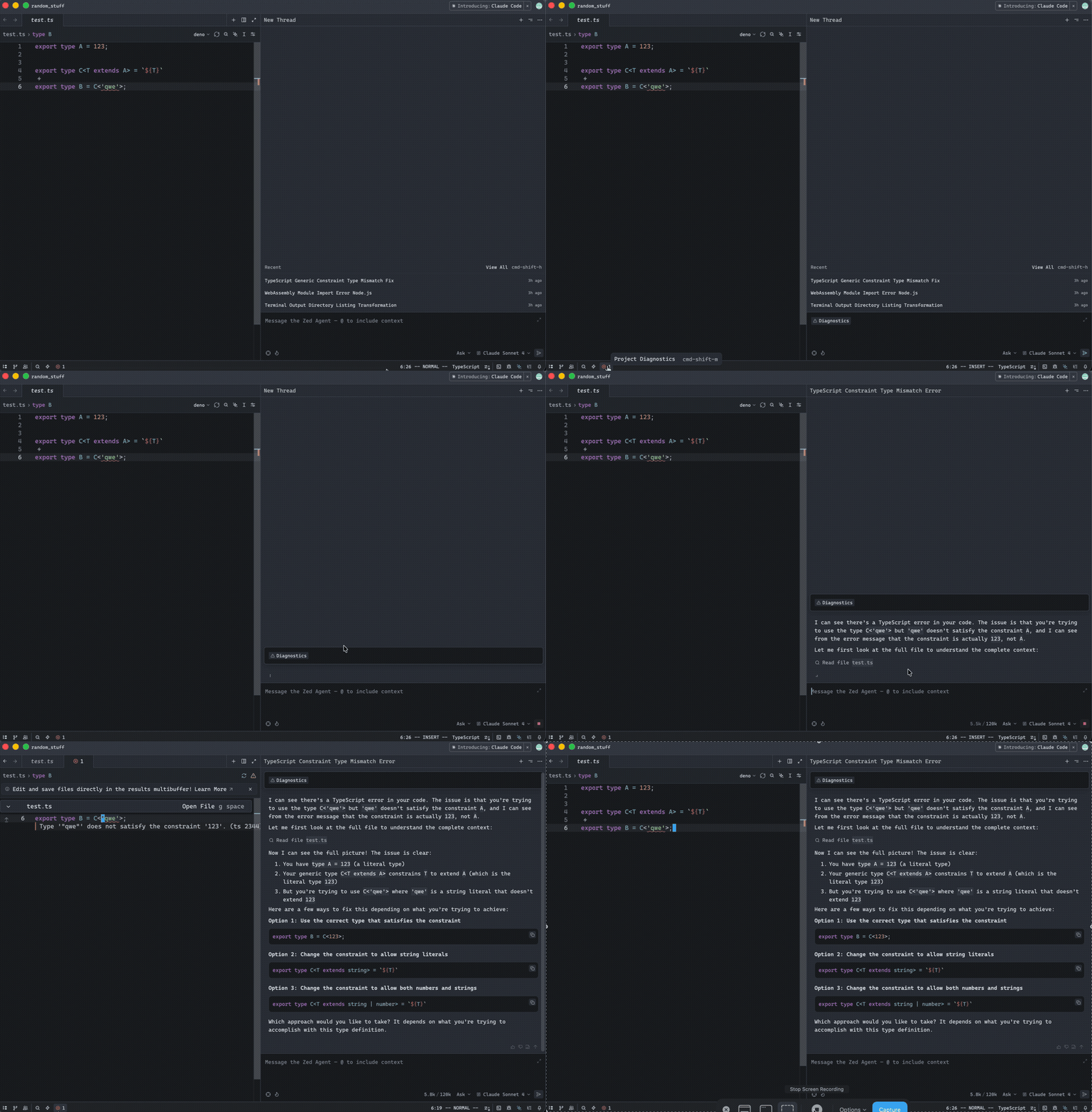
Feed LSP diagnostics directly into your agent conversations
Press ESC anywhere in the agent panel to stop a running thread
Track tokens, time, and turns in real-time for better AI interaction insights

See exactly how many lines the agent added or removed in each file
Generate commit messages that follow your team's conventions
Quick access to your most-used language models with favorites
We'd love to hear from you! If you've discovered a useful Zed trick or workflow, consider sharing it with the community. Every contribution helps fellow developers work smarter.