
Add Code Errors to Agent Context with @diagnostics
Feed LSP diagnostics directly into your agent conversations
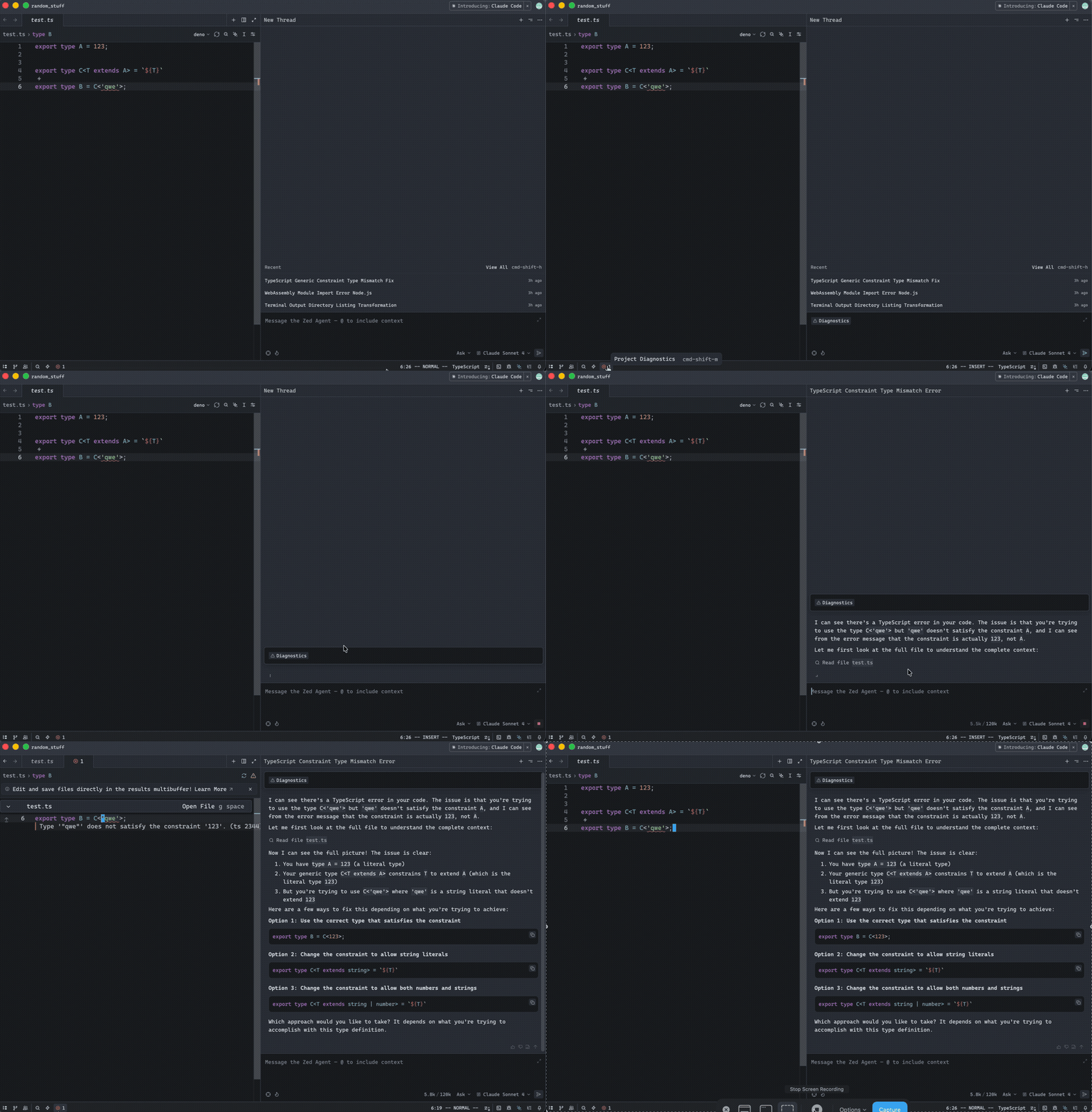
When working in the Agent Panel, you can now use @diagnostics to inject current language server errors and warnings directly into your conversation. This makes it effortless to get AI help fixing compiler errors or code issues.
How to Use
- Open the Agent Panel and start a new thread
- Type
@diagnosticsin the message editor - Select it from the autocomplete menu
- The agent receives all current LSP diagnostics as context
- Ask the agent to fix the errors
What Gets Included
By default, @diagnostics includes:
- Errors: All compilation errors from your language server
- File locations: Exact file paths and line numbers
- Error messages: Full diagnostic descriptions
You can also include warnings with:
@diagnostics?include_warnings=true
Example Workflow
You: @diagnostics Fix these TypeScript errors

Agent: I see 3 type errors in your code:
1. src/app.ts:42 - Property 'name' does not exist on type 'User'
2. src/utils.ts:15 - Type 'string' is not assignable to type 'number'
...

Let me fix them for you.
Why It’s Useful
Faster debugging: No need to manually copy-paste error messages into the chat.
Full context: The agent sees all errors at once, not just the one you’re focused on.
Cursor-aware workflow: Stay in the Agent Panel instead of switching to slash commands or text threads.
Parity with text threads: Brings the /diagnostics slash command functionality to the new thread experience.
Perfect for when you have a pile of compiler errors and need AI assistance to resolve them quickly!
Related PR: #42270