
Install AI Agents from ACP Registry
Discover and install specialized agents directly from Zed's Agent Registry
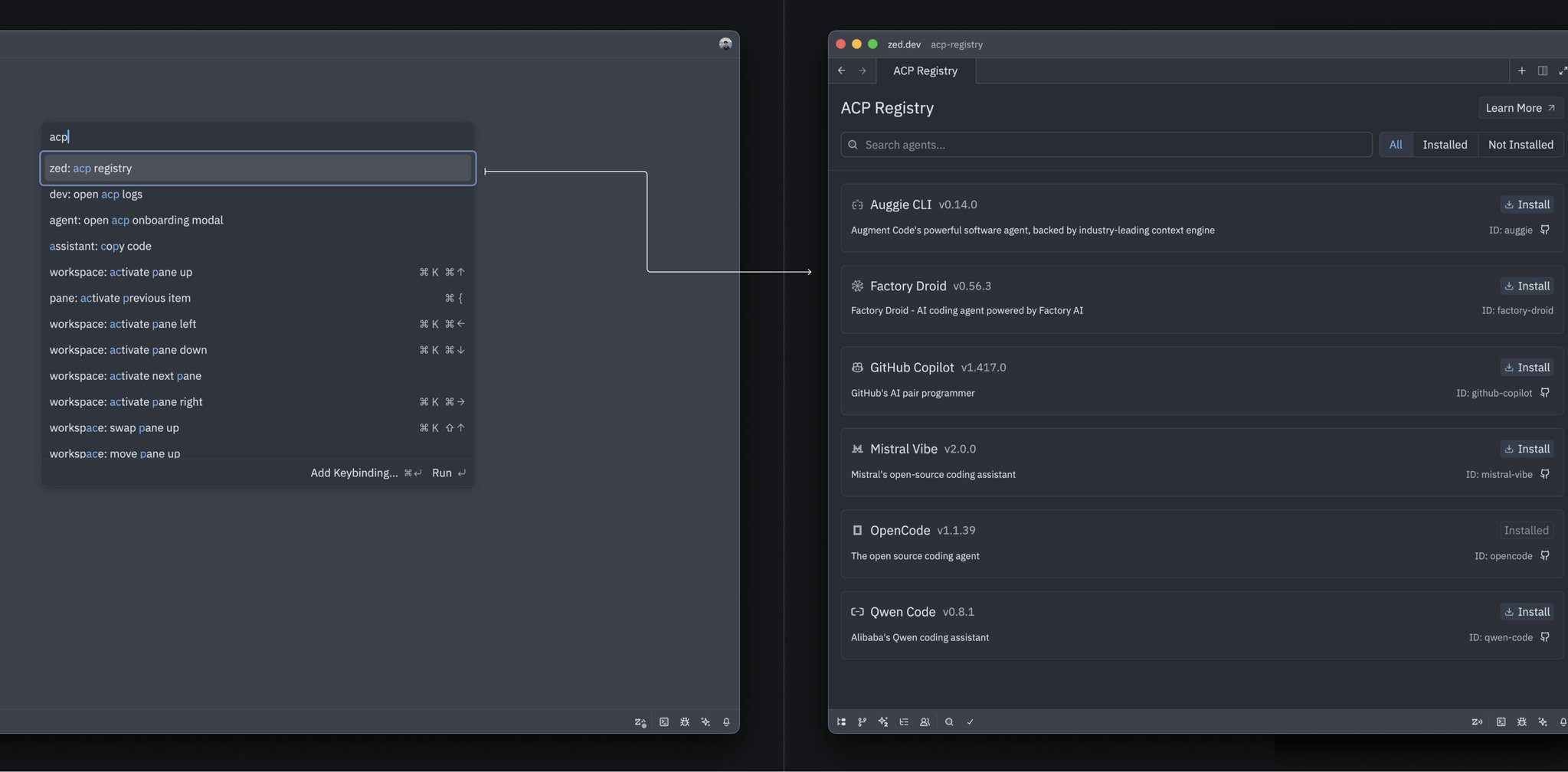
Zed now features an ACP Registry that lets you discover and install specialized AI agents directly from the editor. Think of it like a package manager for AI agents - browse available agents and install the ones that fit your workflow.
What is the ACP Registry?
The ACP (Agent Communication Protocol) Registry is Zed’s official catalog of AI agents. These are specialized agents designed for specific tasks like code review, debugging, refactoring, or documentation generation.
How to Install Agents
- Open the Agent Panel
- Click the “Install Agent” button or use the agent picker
- Browse available agents from the registry
- Select an agent and click “Install”
- The agent is immediately available for use
Why Use Registry Agents?
Specialized capabilities: Each agent is optimized for specific tasks rather than being a general-purpose assistant.
Curated collection: Agents are vetted and maintained by the Zed team and community.
Easy updates: Installed agents can be updated when new versions are available.
No configuration needed: Agents come pre-configured and ready to use.
Example Use Cases
- Install a code review agent for automated PR reviews
- Add a documentation agent to generate/improve docstrings
- Get a debugging agent specialized in finding and fixing bugs
- Use a refactoring agent for code quality improvements
The registry makes it effortless to expand your AI toolkit without manual configuration!
Related PR: #47470