
Adjust Task Commands on the Fly
Modify task commands before running them for quick iterations
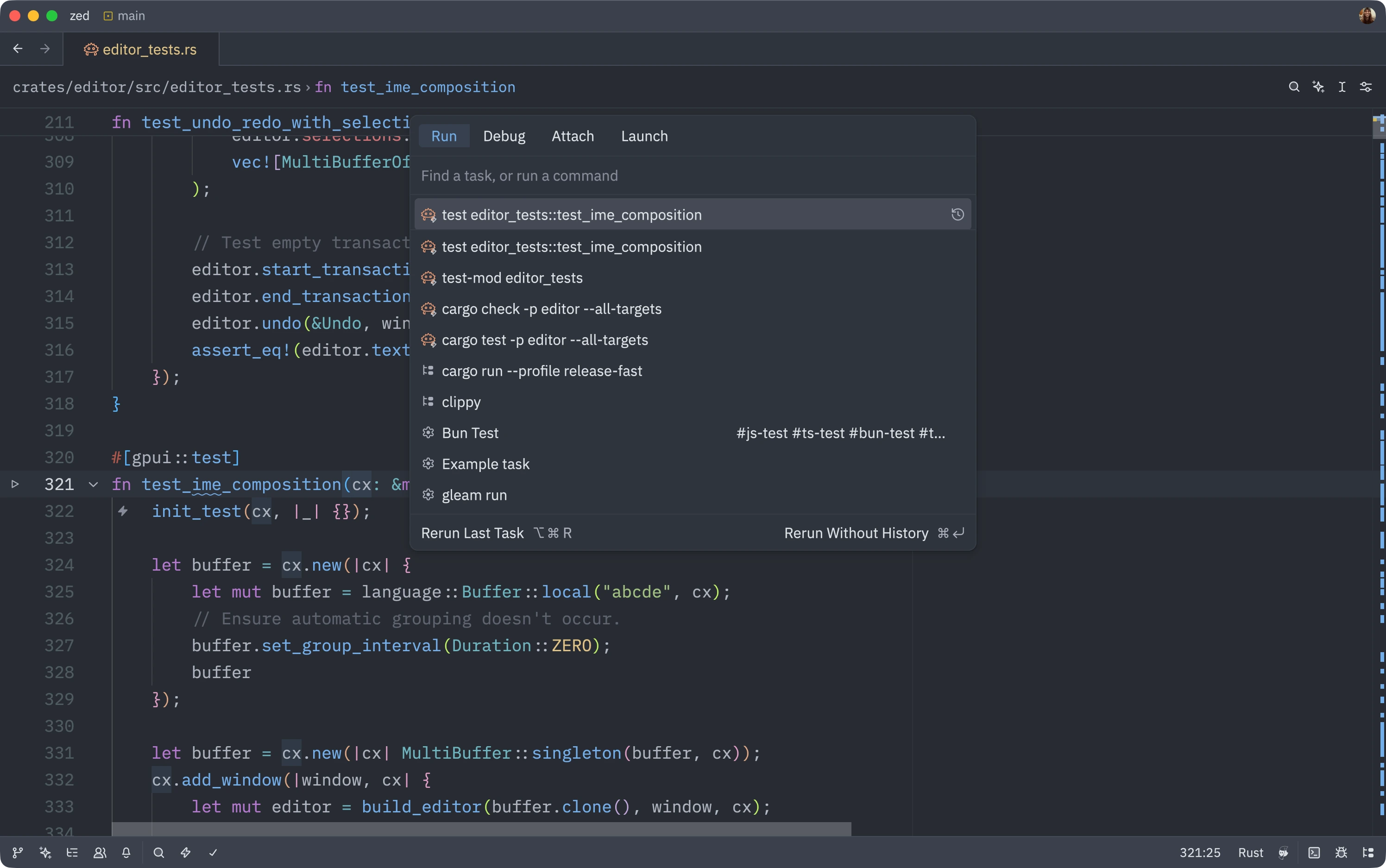
Sometimes, the tasks provided by an extension get most of the command right, except for a small part that needs to be changed. For instance, you might like how cargo --foo path-to-module --bar --something is created for your tests, but sometimes you want to see a backtrace of the failure. Yet, there’s no “run this test with backtraces on” task in the extension.
Luckily, all Zed tasks end up being run in the terminal, so the command can be customized before running.
How to Use
- Open the task modal (
task: spawnin the command palette) - You’ll see a list of available tasks
- Press
Tabto expand the task into its full command - Edit the command however you need (e.g., add
RUST_BACKTRACE=1) - Press
Alt-Enterto spawn a oneshot task with your modifications
Key Features
Tab to Expand: Pressing Tab in the task modal expands the selected task into its full command, allowing you to see and edit the exact command that will run.
Oneshot Tasks: Pressing Alt-Enter spawns whatever is in the task modal’s input right now, running your customized version without modifying the original task configuration.
History: Your modified task is saved to the modal’s history, where it can be rerun or removed as needed.
Example Use Cases
- Add
RUST_BACKTRACE=1to Rust test commands for debugging - Add
DEBUG=*to Node.js commands for verbose logging - Modify test filters on the fly
- Add or remove flags without creating new task configurations
The original task configuration remains unchanged, so you can always run the default version or modify it differently next time!