
Back to tips
Launch Terminal with tmux Sessions
Automatically start project-specific tmux sessions when opening terminals
#terminal
#tmux
#workflow
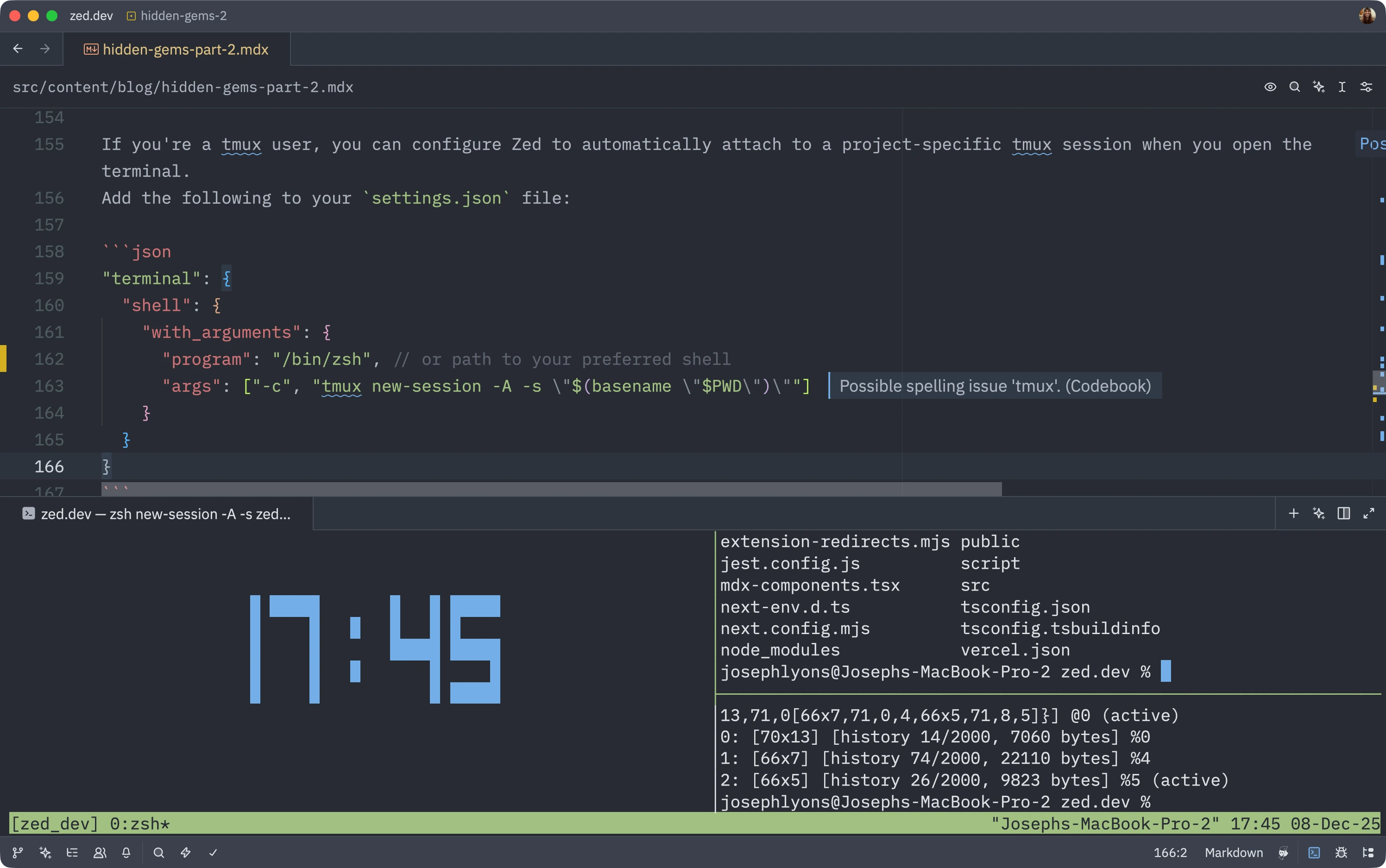
If you’re a tmux user, you can configure Zed to automatically attach to a project-specific tmux session when you open the terminal.
Configuration
Add this to your settings.json file:
{
  "terminal": {
    "shell": {
      "with_arguments": {
        "program": "/bin/zsh",  // or path to your preferred shell
        "args": ["-c", "tmux new-session -A -s \"$(basename \"$PWD\")\""]
      }
    }
  }
}
How It Works
This configuration uses $(basename "$PWD") to automatically name the tmux session after your current project directory. Each project gets its own dedicated tmux session.
The -A flag means “attach to existing session or create new one”, so:
- First time opening a terminal in a project: creates a new tmux session
- Subsequent times: reconnects to the existing session
- Different projects: get different tmux sessions automatically
Benefits
This is great for those who prefer keyboard-driven workflows for:
- Selecting text in the terminal
- Copying output with tmux copy mode
- Navigating through terminal history
- Splitting panes within tmux
- Persistent sessions that survive Zed restarts
You get all the power of tmux while working in Zed, with automatic project-based session management!