
Back to tips
Use Television as a Fuzzy Finder
Emulate Vim's Telescope with the fast Television fuzzy finder tool
#vim
#fuzzy-finder
#cli
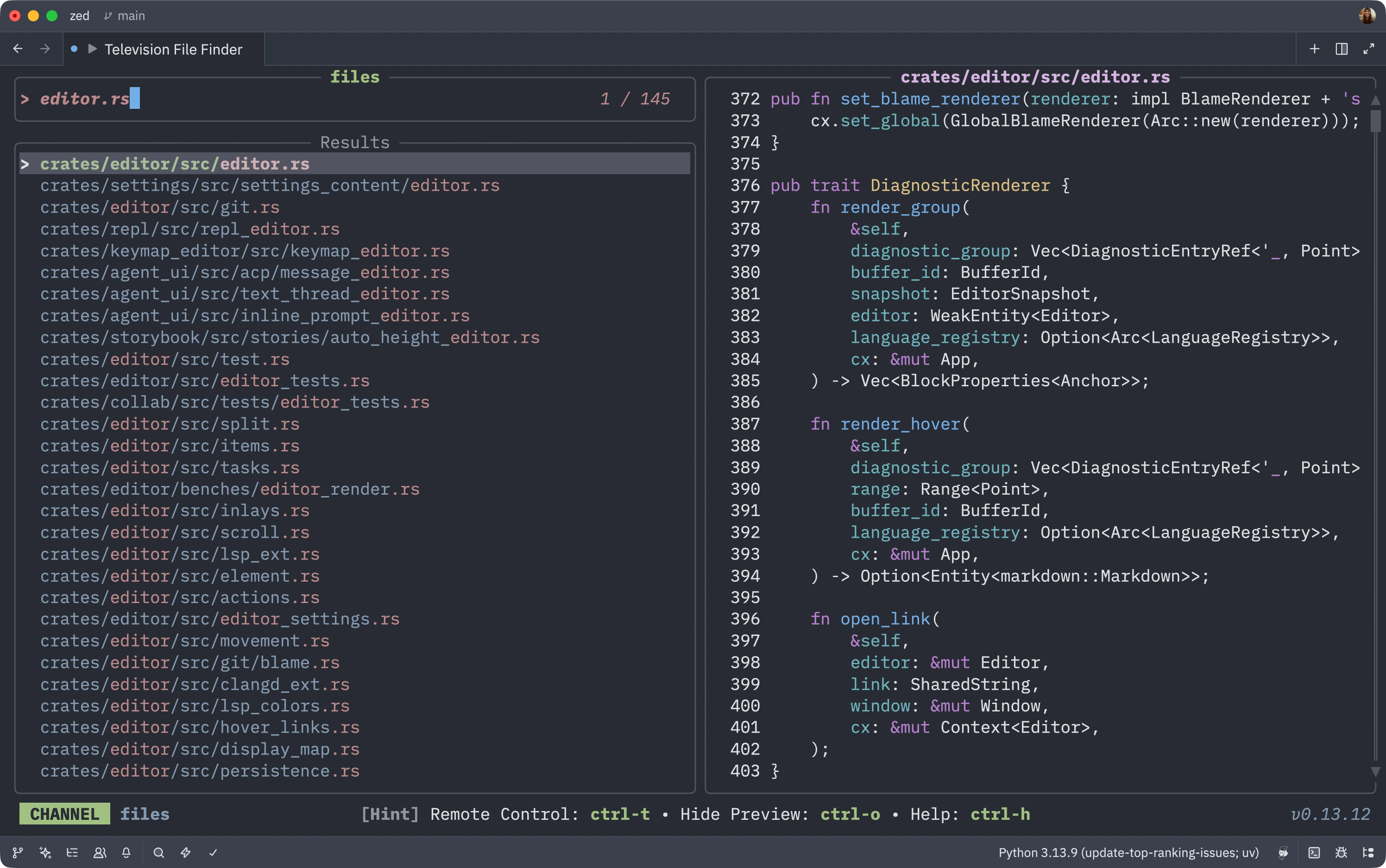
For Vim users missing Telescope, you can integrate Television - a blazing fast fuzzy finder written in Rust - directly into Zed.
Setup Steps
1. Install Television
# macOS
brew install television

# Or via Cargo
cargo install television
2. Add Task Configuration
Add this to your tasks.json:
{
  "label": "Television File Finder",
  "command": "zed \"$(tv files)\"",
  "hide": "always",
  "allow_concurrent_runs": true,
  "use_new_terminal": true
}
3. Bind to Keybinding
Add this to your keymap.json to replace the default file finder:
{
  "bindings": {
    "cmd-p": [  // Or `ctrl-p` on Windows/Linux
      "task::Spawn",
      { "task_name": "Television File Finder", "reveal_target": "center" }
    ]
  }
}
How It Works
Now when you press Cmd-P (or Ctrl-P), Television will launch instead of Zed’s built-in file finder. You get:
- Blazing fast fuzzy finding powered by Rust
- Familiar Telescope-like interface for Vim users
- Automatic file opening - selected files open directly in Zed
- Git-aware searching and more advanced features
The hide: "always" setting keeps the task hidden from the task list, and allow_concurrent_runs: true lets you spawn multiple instances if needed.