
Use LSP Document Symbols in Breadcrumbs and Outline
Switch from tree-sitter to LSP for more accurate code navigation
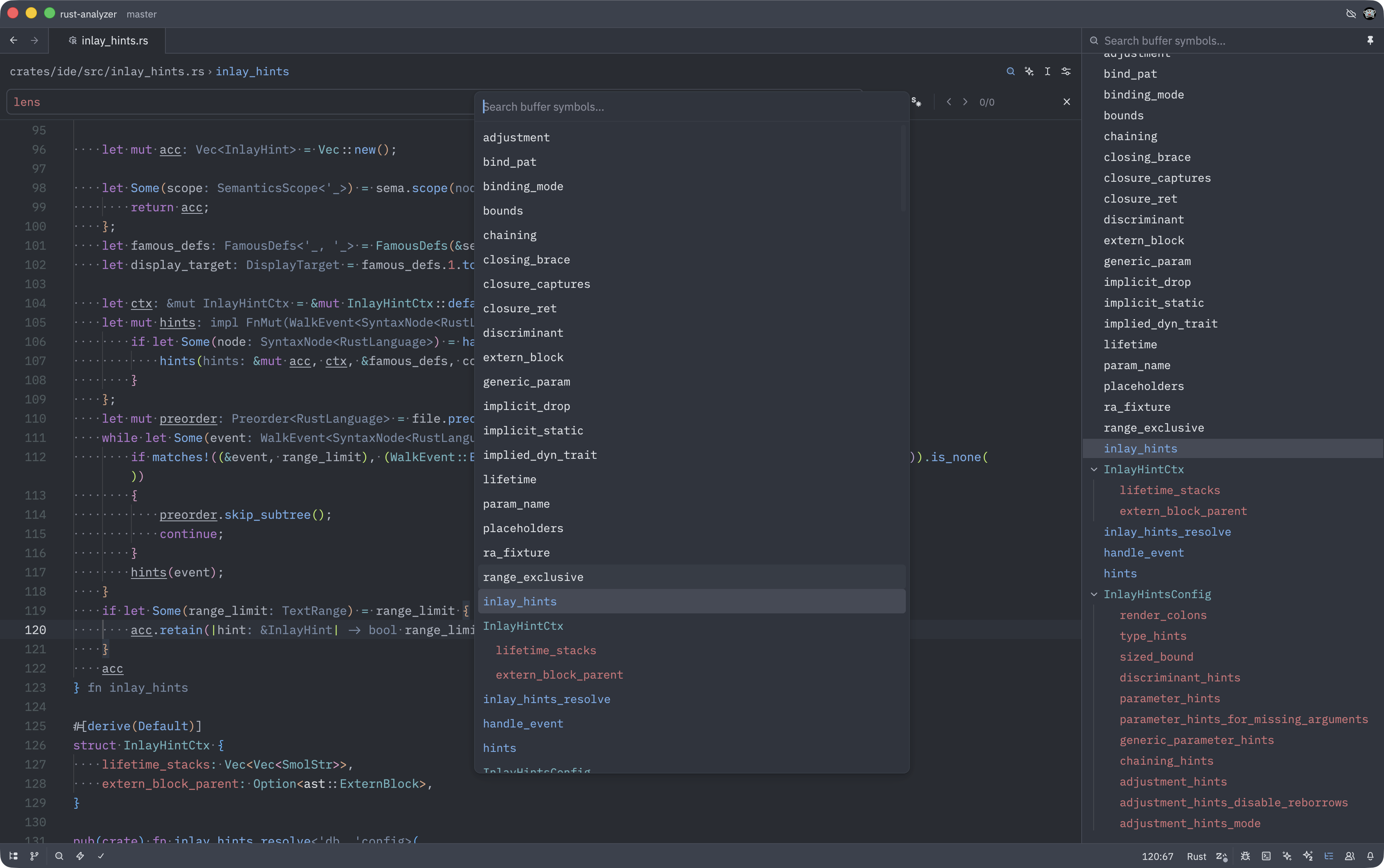
Zed now supports using LSP document symbols instead of tree-sitter for breadcrumbs and outline views, providing more accurate navigation based on your language server’s understanding of your code.
How to Use
Enable LSP document symbols in your language settings:
- Open your settings with
Cmd-,(macOS) orCtrl-,(Linux/Windows) - Add this to your language-specific settings:
{
  "languages": {
    "Rust": {
      "document_symbols": "on"
    }
  }
}- Your breadcrumbs and outline will now use LSP symbols instead of tree-sitter
The setting defaults to "off", using tree-sitter symbols.
Why This Matters
LSP Accuracy: Language servers often have deeper semantic understanding than tree-sitter parsers.
Consistent Navigation: Symbols match what your LSP reports, aligning with other IDE features.
Better for Complex Code: Particularly useful in languages where tree-sitter has limitations.
This is especially valuable when working with languages that have strong LSP implementations, like Rust, TypeScript, or Go, where the language server provides rich semantic information beyond syntax parsing.